
TOUCHSCREEN BUILDING CONTROLLER
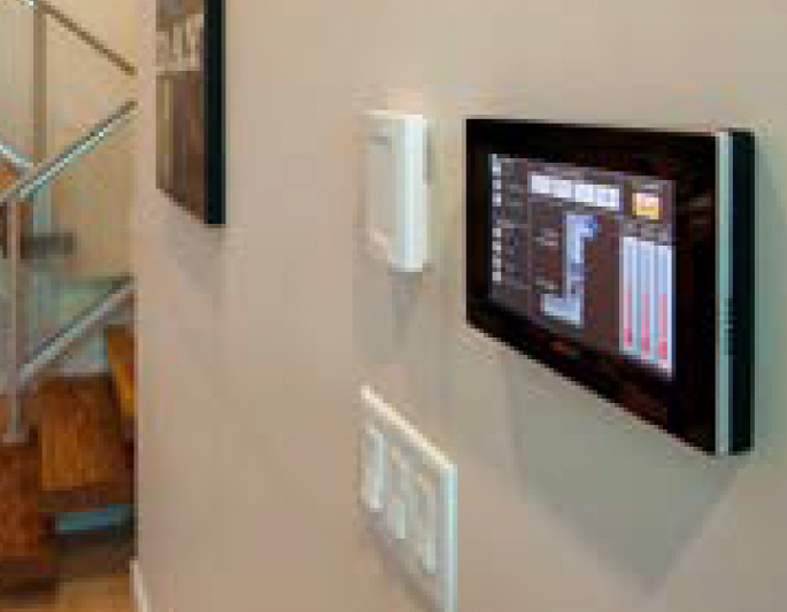
enteliVIEW is a high-resolution 7-inch LCD touchscreen display that provides immediate, intuitive access to the core of a BACnet Building Automation System (BAS).
It can be used as the primary interface for smaller facilities or as an on-site access point within larger, more complex systems.
Integration with standard open protocols helps unlock the full potential of smart buildings beyond traditional HVAC control while supporting cybersecurity compliance.
ENTELIVIEW
CONFIGURATIONS AND FEATURES
Key features
- Custom experience: the graphical interface is fully customisable, allowing navigation to be adapted to the specific requirements of the building and system.
- Advanced functionality: an integrated temperature sensor and optional motion sensor enable accurate, tailored monitoring.
- Flexible architecture: optional components can turn the device into a web server or wireless hub for additional devices, supporting versatile and scalable management.
DOWNLOADS
Contact us for more information
FAQ
Where is it best to install the enteliVIEW touchscreen controller?
enteliVIEW is designed for environments that require immediate, local and intuitive access to key building automation information. It can be installed, for example, in offices, meeting rooms, receptions, lobbies, areas staffed by the facility team or technical rooms, where operators and authorised users need to view data, system status and controls without necessarily using a PC workstation.
The optimal installation location should balance frequency of use, display visibility, protection against unauthorised access and the panel’s actual operational usefulness. In public areas, it is advisable to limit the interface to viewing basic data only; in technical or staffed areas, more advanced control functions can be provided.
What interface customisations should be considered?
The most useful customisations are those that make the interface simple, readable and aligned with the needs of the users who will use it. Dedicated screens can be created for the most frequently consulted functions, such as room temperature, HVAC system status, key alarms, air quality, lighting, energy trends or quick controls for specific areas of the building.
It is advisable to organise navigation using a clear hierarchy — by zones, floors or functions — and avoid overly complex screens.
- For the Facility Manager: technical dashboards focused on diagnostics, alarms, system status and operating parameters can be useful.
- For non-technical users: a simplified interface with a few clear indicators and essential controls is preferable. enteliVIEW can display enteliWEB using enteliVIZ graphics, so the quality of the user experience depends heavily on how pages and navigation paths are designed.
Can enteliVIEW completely replace PC-based supervision software?
In general, no. enteliVIEW should not be considered a complete replacement for PC-based supervision software or a centralised BMS platform. It is better understood as a local touchscreen interface designed to make viewing and controlling selected building functions more immediate.
Software such as enteliWEB has a broader role: it centralises system management, collects real-time data and provides administration tools, customisable dashboards, energy management, alarms, audit logs and analytics. enteliVIEW brings this information within easy reach at strategic points in the building, improving operational accessibility without necessarily replacing the main supervision workstation.
What are the benefits of integrating the optional motion sensor?
The optional motion sensor can make the use of enteliVIEW smarter and more context-aware. For example, it can help activate the screen only when someone approaches, improving the user experience while reducing energy consumption and display wear. It can also support more advanced occupancy-related logic, rapid information access or automatic interface management in environments such as meeting rooms, offices or common areas.
At application level, when combined with correct system configuration, motion detection can help make the touchscreen more responsive and less intrusive: the panel remains discreet when not required and becomes immediately available when a user approaches. An optional temperature sensor and motion sensor can also be integrated for more tailored monitoring.